Veranda configurator for your website: installer guide
A veranda configurator on your own website: how it works, what it brings and how veranda, glass room and louvred roof installers set it up.
Contents12 headings
- Why a veranda configurator beats a contact form
- How your customer designs their veranda
- Your prices and your limits
- What happens after they press send
- What an enquiry looks like when it reaches you
- Measuring with an iPhone
- Getting it onto your website
- Three mistakes when going live
- What to watch after launch
- Before your customer builds: planning
- More than a configurator
- Frequently asked questions
A veranda configurator is a step-by-step planner on your own website. Your customer designs their veranda themselves: sizes, gutter, colour, roof, side walls and extras. They see an image of the result with every choice and, if you want, the price straight away. You get a complete enquiry instead of an email asking "how much is a veranda?".
This guide is for veranda, glass room and louvred roof installers and dealers in the UK who want more of their website visitors to turn into enquiries they can actually price.
Why a veranda configurator beats a contact form
A contact form mostly collects questions. How wide? Which roof? Glass or polycarbonate? With side panels? Every enquiry costs a phone call or a few emails before you can put a price on it. And the homeowner browsing at 10pm does not wait for you to ring back the next day.
A configurator turns that around. The customer answers those questions themselves, in the order you would ask them, and sees what they are choosing. What reaches you is an enquiry you can quote on straight away.
How your customer designs their veranda
The configurator walks through everything you would normally ask at a survey or in the showroom:
- type and fixing: against the house or freestanding
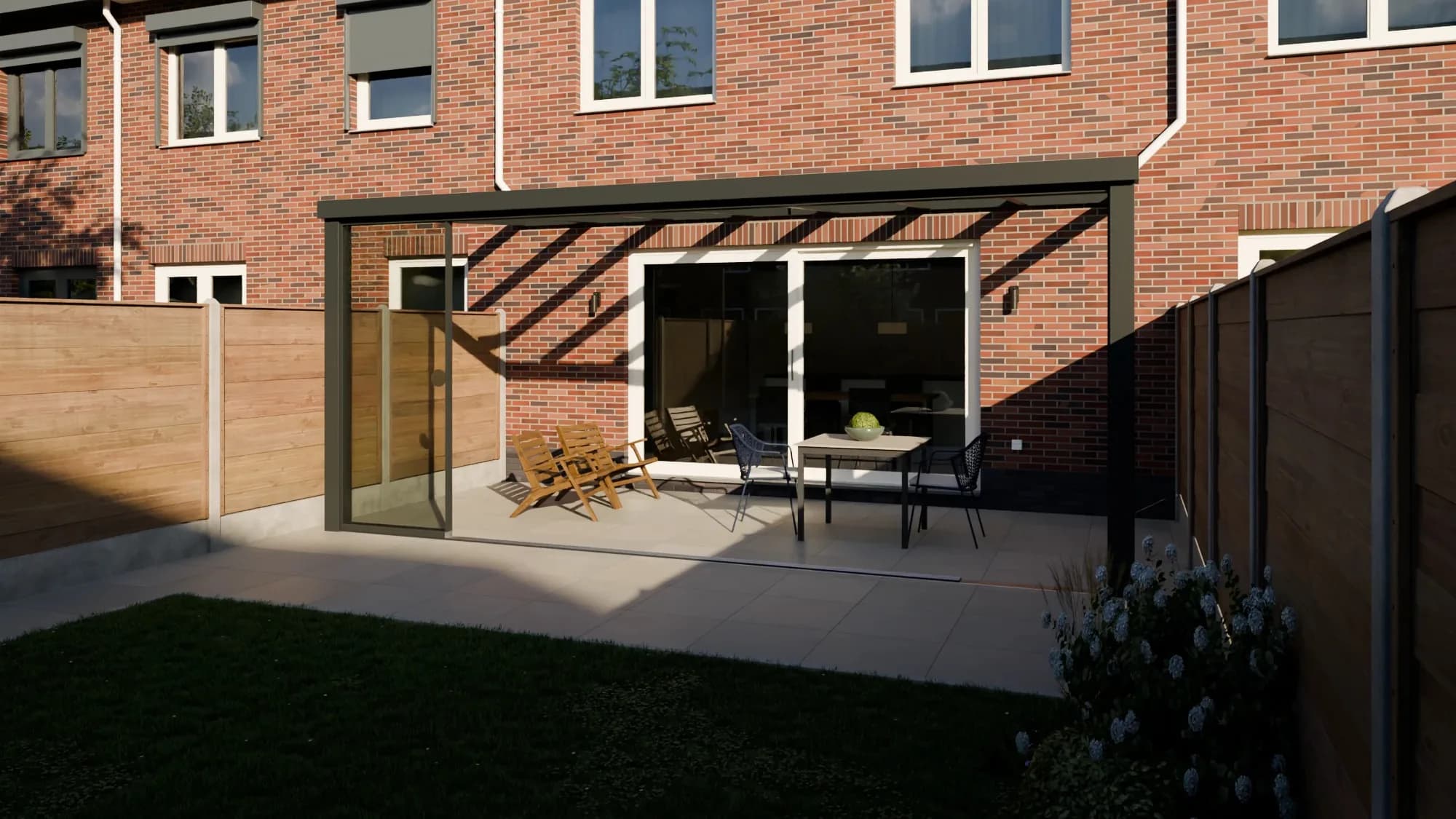
- frame colour, for example RAL 7016 anthracite or white
- roof: clear glass, tinted glass or polycarbonate
- sizes, with a top view and a ruler instead of input boxes
- front and side walls, such as glass sliding doors
- lighting and shading
- contact details at the end
The image changes with every choice. The images are pre-rendered and photorealistic, so the configurator loads quickly on a phone too. Options that do not fit together are greyed out with a short reason. A glass roof that cannot span the chosen depth simply cannot be picked.
Your prices and your limits
You load your own price tables per roof material and your surcharges per option, with prices including or excluding VAT, set per table. Per roof material you set the minimum and maximum width and depth. If your supplier only does glass up to a certain depth, customers can only choose glass up to that depth. If another supplier goes further, you change it yourself.
Whether the customer sees the price is your call. Many installers show it because it brings serious enquiries. Others only show it in the quote.
What happens after they press send
- The enquiry lands in your overview with sizes, options and photos.
- meetpiloot prices the quote with your tables and turns it into a PDF in your branding.
- The quote goes to the customer automatically, or to you first for a check.
- The customer signs online, in their own language. 792 quotes have been signed through meetpiloot so far.
- If they do not respond, a reminder goes out automatically.
How that works with a survey and a deposit is covered in quote software with e-signature.
What an enquiry looks like when it reaches you
Instead of "please call me about a veranda", you get something like:
- veranda against the house, 5.06 × 3.00 m
- frame in RAL 7016 anthracite
- clear glass roof
- glass sliding doors on the left, open on the right
- LED spotlights, a clearance height of 2.50 m
- a photo of the patio and measured sizes from the iPhone measurement
- name, address, phone, email and the campaign the customer came from
That is the real win of a configurator: not more enquiries, but better ones.
Measuring with an iPhone
Your customer can measure their patio with their iPhone camera. The measurement opens as an App Clip from a link or QR code, with nothing to install. The sizes and a photo go straight into the configurator. With the meetpiloot app you can also show the veranda at full size in AR, at the customer's home or in the showroom. More in measuring a veranda with an iPhone.
Getting it onto your website
- Direct link: share it in ads, emails or on WhatsApp.
- Embed: an iframe and a small script on any page. There are guides for WordPress, Shopify, React, Next.js and other platforms.
- Tracking: conversion tracking is included as standard, so you can see which campaigns bring enquiries.
The configurator runs in seven languages, including English, and picks your visitor's language automatically.
Three mistakes when going live
- Prices not up to date. Out-of-date prices produce quotes you have to renegotiate. Sort your price tables before launch.
- Hidden on the website. If people can only find it through the menu, few will use it. Link it from your homepage, product pages and ads.
- Nobody reacts to enquiries. The best enquiry is worthless if it sits for two days. Let the indicative quote go out automatically, or decide who handles enquiries the same day.
What to watch after launch
After a few weeks you will know whether the configurator works in daily life. Keep an eye on:
- How many visitors start the configurator, and how many send an enquiry. If lots of people drop out, there are usually too many required questions or one unclear step.
- Which designs get requested. That tells you which roofs, colours and options are popular, which helps with buying and with what you show in the showroom.
- Which campaigns bring enquiries that get signed. Not the ones with the most clicks, the ones with the most jobs.
- How quickly the indicative quote goes out. Same day is the goal.
Before your customer builds: planning
A common question is whether a veranda needs planning permission. The answer depends on the design and the property. What to tell customers is in veranda planning permission.
More than a configurator
The configurator is the start. After that you need one place for enquiries, appointments, quotes and follow-up, covered in CRM for tradespeople. See the configurator itself on the veranda configurator page. In a free demo you set it up with your logo, your colours and a sample price list.
Frequently asked questions
Do I need my own 3D models or renders?
No. The configurator uses pre-rendered, photorealistic images for each option, such as gutter, colour, roof and side walls. You add your prices and choose which options you offer. Your logo and brand colour are applied automatically.
Can I hide prices from customers?
Yes. You decide whether customers see the price while they configure. The configurator always prices with your own tables in the background, so the quote is right when it goes out.
Which sizes can customers choose?
Only the ones you supply. You set the minimum and maximum width and depth per roof material, and sizes outside your price table cannot be chosen, so they cannot be requested either.
Does it work on a phone?
Yes, in any modern browser on phone, tablet and computer. Measuring with the camera works on iPhone. On Android, customers enter their sizes by hand.
What else can I offer besides verandas?
There are configurators for louvred roofs, glass sliding doors and awnings, and also for window frames, roller shutters, fencing, dormers and extensions. Which ones you can use depends on your plan.
Read next
How-to · Veranda · Louvred roof
Measure a veranda with an iPhone: remote surveys
Let customers measure their patio with an iPhone before you visit. Fewer wasted trips, enquiries with real sizes and photos, and AR at full size.
3 min read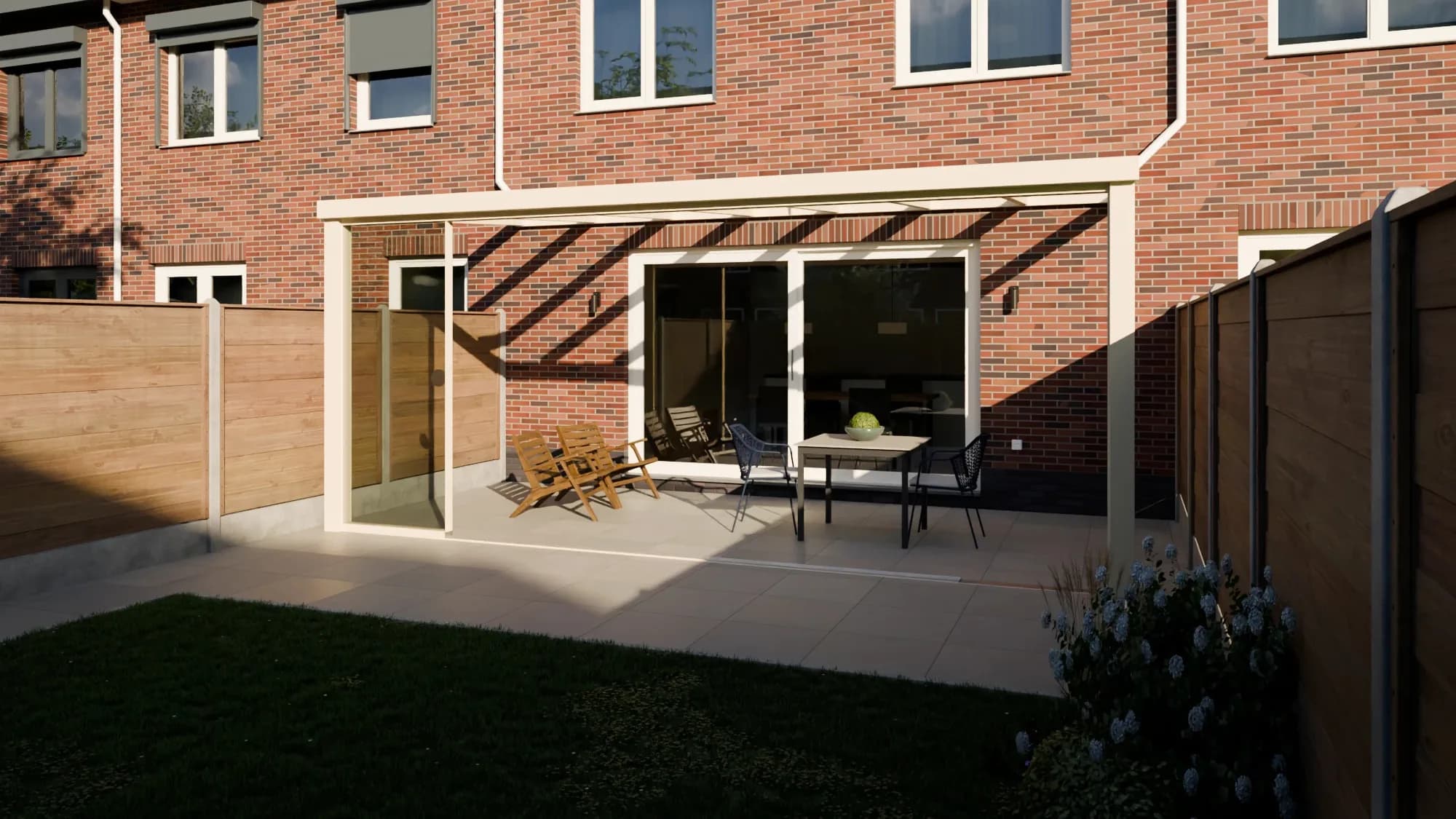
Industry guide · Veranda · Louvred roof
Veranda planning permission: what to tell customers
Does a veranda need planning permission in England? What the permitted development rules say, where verandas differ, and how installers can answer.
4 min readHow-to · General
Quote software with e-signature for installers
Quote software for installers: quotes from your own price tables, in your branding, signed online and chased up automatically. What to look for.
4 min read
From website visit to signed quote
A configurator on your own site with your prices, and enquiries that arrive complete.